mySQL 검색
MySQL
MySQL HeatWave is a fully managed database service for transactions, real- time analytics across data warehouses and data lakes, and machine learning services, without the complexity, latency, and cost of ETL duplication. It is available on OCI, AWS, and A
www.mysql.com
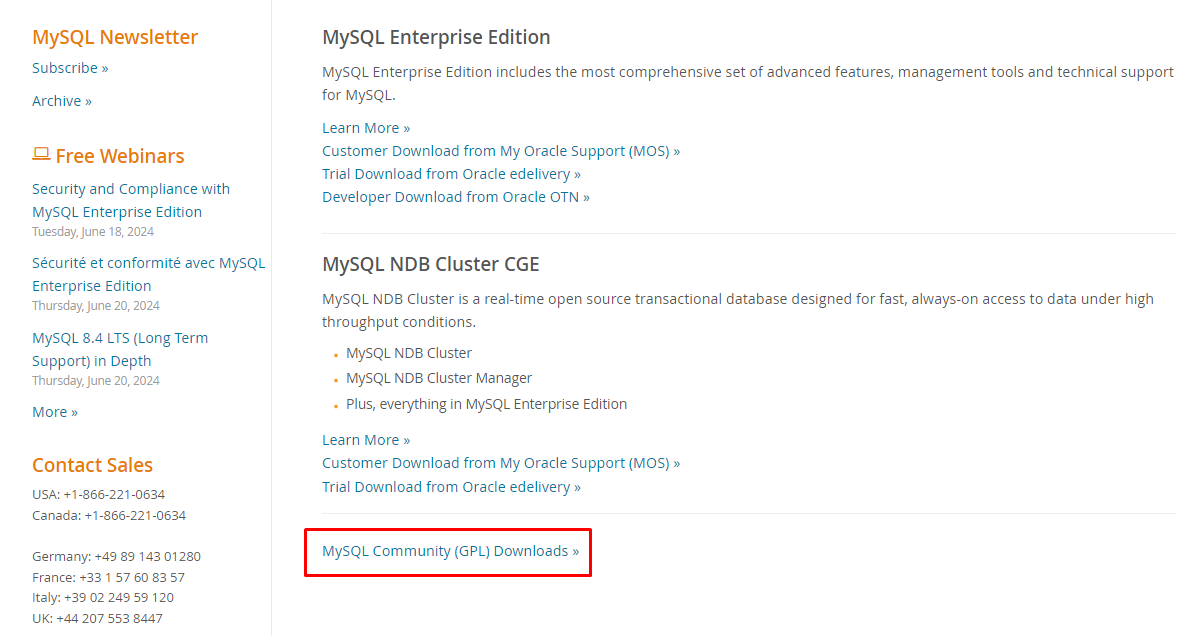
다운로드 클릭

MySQL Community (GPL) Downloads 클릭
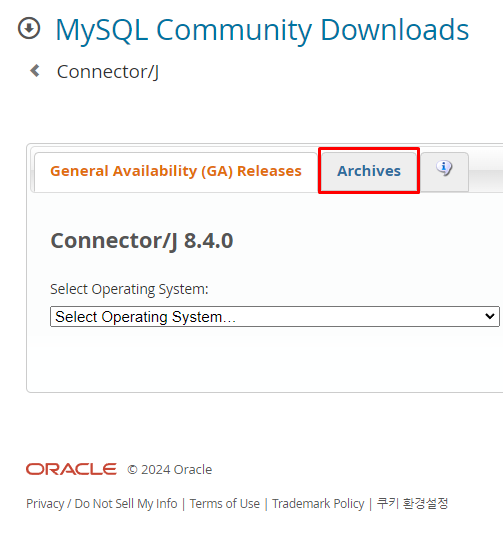
Connector/J 클릭

Archives 클릭
명령 프롬프트 창에서 mysql --version 을 입력한 후 버전을 확인한다. Ver 8.0.21 이다.

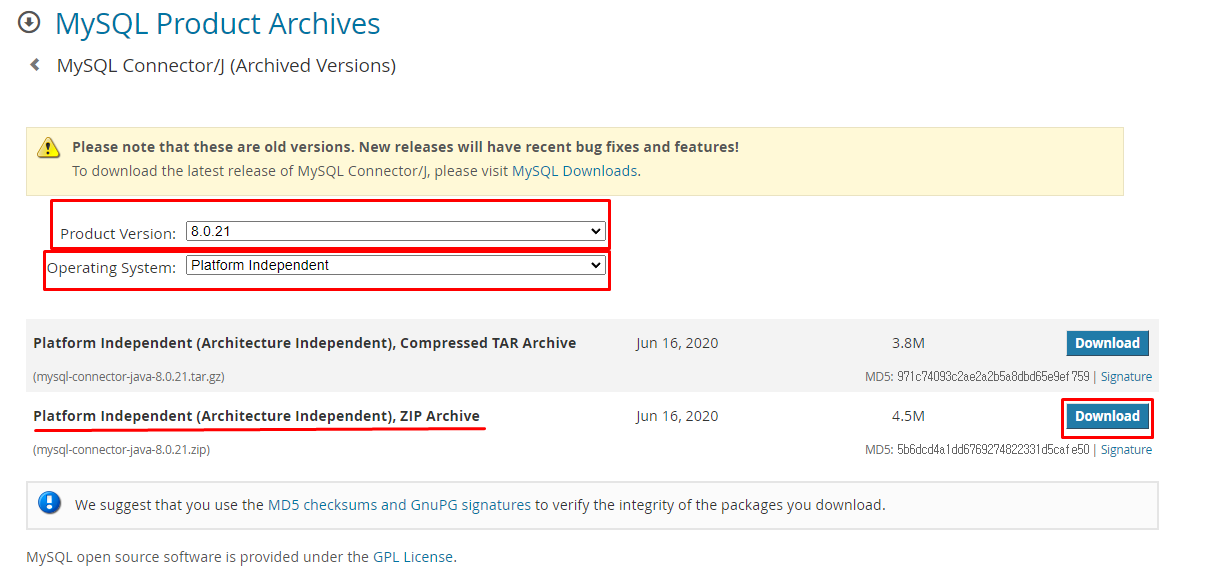
버전 : 8.0.21
시스템 : Platform Independent 설정 후
ZIP Archive 파일 다운로드
다운로드 받은 파일을 tools 폴더로 옮긴 후 압축 풀기를 진행한다.

mysql - connection 폴더에 들어가면 .jar 파일을 Ctrl + C 한다.

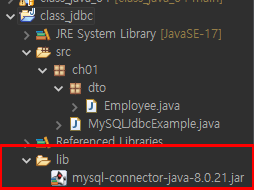
class_jdbc 자바폴더를 우클릭후 New 클릭 --> Foler를 클릭 후 --> lib 폴더를 생성한다.


lib 폴더를 클릭 후 Ctrl + V 복사 붙여넣기를 실행하면 아래와 같이 나타난다.
class_jdbc 폴더 우클릭 후 --> Properties(설정)에 들어간다.

Java Build Path를 클릭 한다.
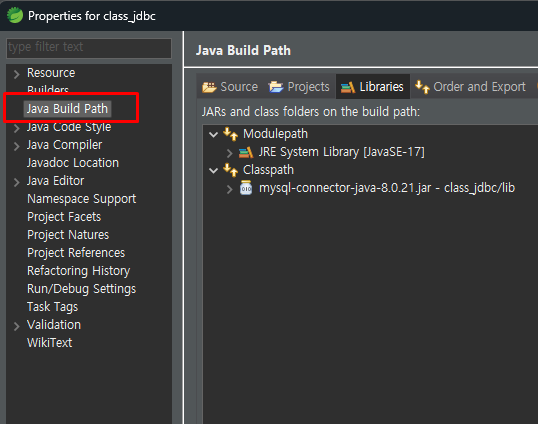
Libraries를 클릭한다.
Classpath를 클릭한다.
Add JARs... 클릭한다.

class_jdbc --> lib 폴더 --> mysql-connector-java-8.0.21.jar를 클릭한 후 OK 버튼을 누른다.

mysql- connector-java-8.0.21.jar - class_jdbc/lib를 클릭한다.
Apply를 누른후 Apply and Close를 누르면 적용이 된다.

'설치메뉴얼' 카테고리의 다른 글
| 2024.06.17 HikariCP 라이브러를 설정 및 적용(2) (0) | 2024.06.17 |
|---|---|
| 2024.06.17 HikariCP 라이브러를 설정 및 적용(1) (0) | 2024.06.17 |
| 2024.04.08 JDK 설치, Eclipse 설치, 폰트 설치하기 (0) | 2024.04.10 |
| 2024.04.08 Light shot 설치 (2) | 2024.04.10 |
| 2024.04.08 Light shot 설치, JDK 설치, Eclipse 설치, 폰트 설치 (0) | 2024.04.08 |